
Orders that used to be printed and filed now file themselves
The client sells medical equipment and consumables to hospitals. The hospitals order by email.
Every purchase order was printed, and the page went into a file. All the work happened on that paper. Staff marked pending items on the printed page in their own personal shorthand. Each person had their own abbreviations for “this line is still outstanding”, and nobody else could reliably read someone else's file.
Around ten orders a month were delayed or missed entirely because of it, by the client's own estimate.
And the customer heard nothing after placing an order. No acknowledgement, no confirmation, no dispatch note. Silence until the goods arrived.
A system that watches the order mailbox, works out which emails are genuine purchase orders, reads the order off the attachment, and files it in a portal the whole team shares. Staff mark items delivered, attach the sales invoice, and the customer is emailed a confirmation inside their own email thread.
Invoices are read automatically, including the signed e-invoice QR code, so accounts can see per customer what is outstanding, what is overdue, what is part-paid, and which invoice numbers never reached the portal at all.
Live since April 2026, handling 100 to 150 purchase orders a month, used by seven people: five staff and the two owners. Three separately deployed pieces run on one API: the staff portal, the mail automation worker, and a second application built for the owners.
- 100–150
- Orders a month
- ~1 in 7
- Need a human check
- 3
- AI agents
- 4
- Roles
- 44
- API endpoints
- 2
- Applications, one API
The screens below come from a demonstration database. Every company name, figure and document number in them is fictional.
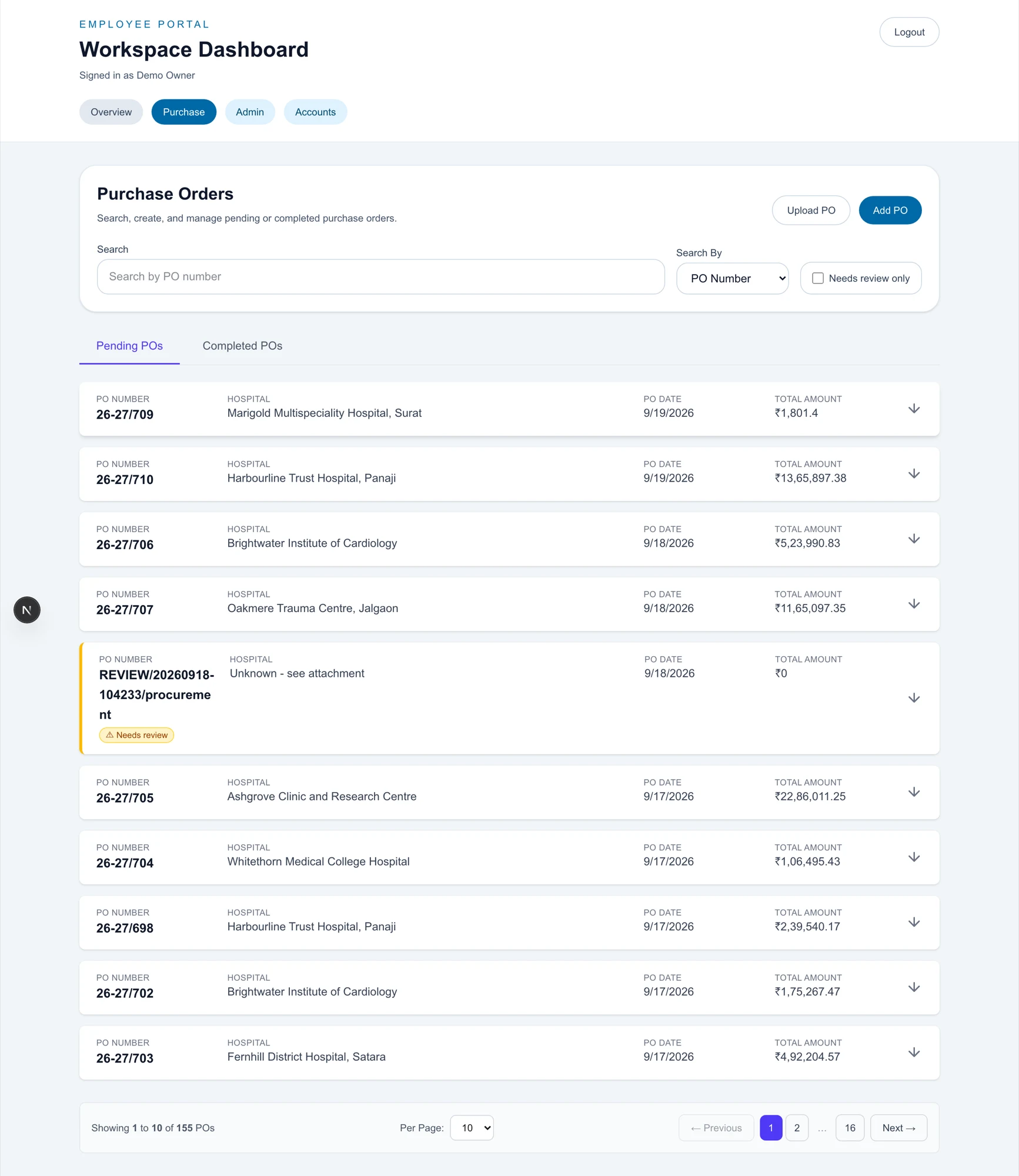
The order arrivesAutomatic
A hospital emails a purchase order. A worker polls the mailbox every 60 seconds, backing off to ten minutes when the inbox is quiet, and never processes the same message twice.
Is this actually an order?Automatic
A classifier turns away acknowledgements, quotations, service contracts, work orders, document-chasing mail and mail from known suppliers, each with a one-sentence reason. Rejected mail has its attachment deleted.
The document is readAutomatic
Order number, hospital, dates, terms and every line item (code, description, HSN, quantity, rate, amount and tax rate) lifted off the attachment. PDFs, Word files, scans and photographs.
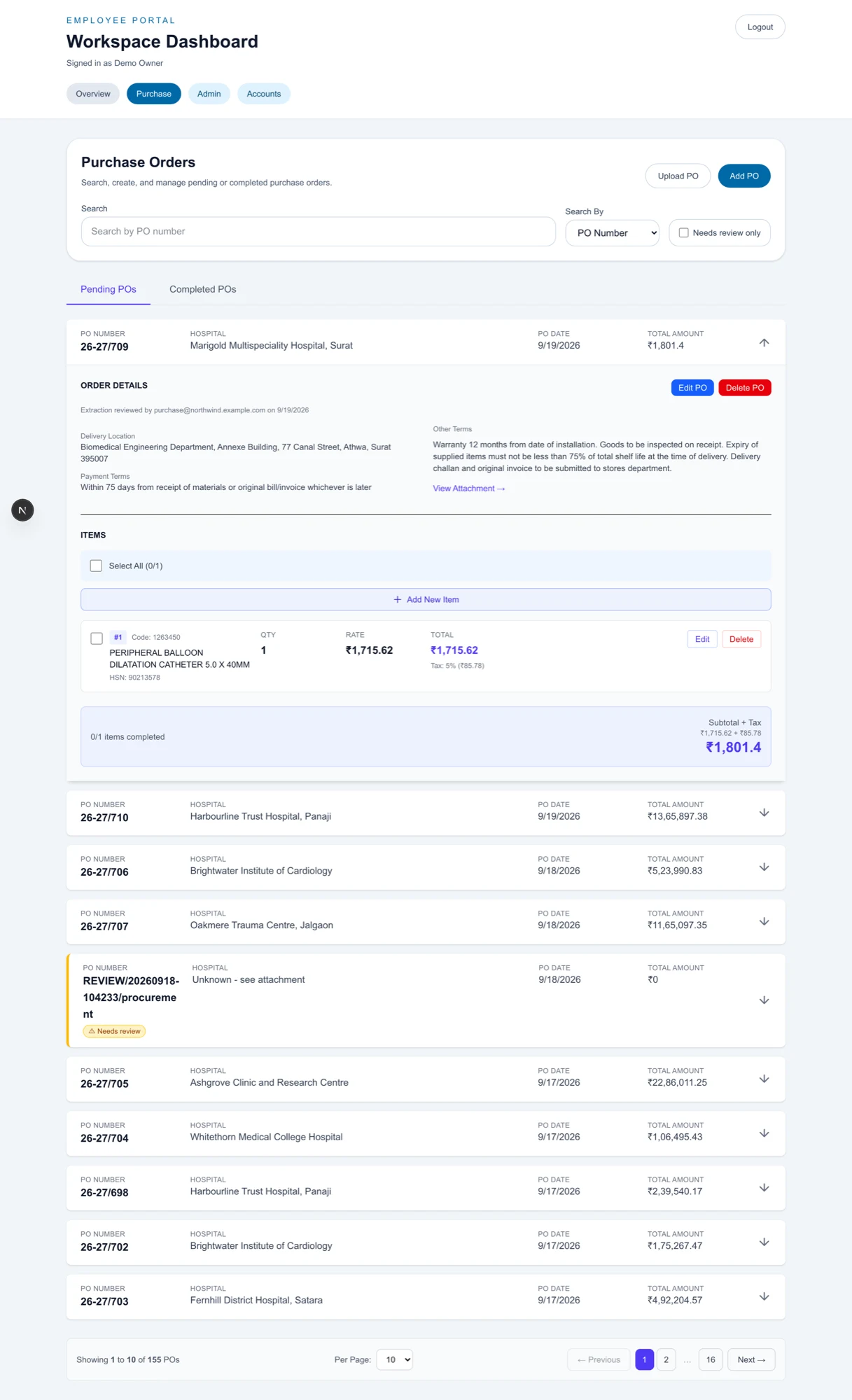
Every line, with its HSN code and tax rate, plus a badge recording whether that rate was stated on the document or derived. A reader can see how much of it was inference. Arithmetic checks the readingAutomatic
Does quantity × rate match each line? Do the lines sum to the stated total? Is the order number, hospital and date present? The portal runs its own checks, independent of the model.
Clean, or flaggedAutomatic
A clean order sends its confirmation immediately, as a reply inside the customer's own email thread. A flagged one holds that email back and goes to a person with the reasons in plain English.
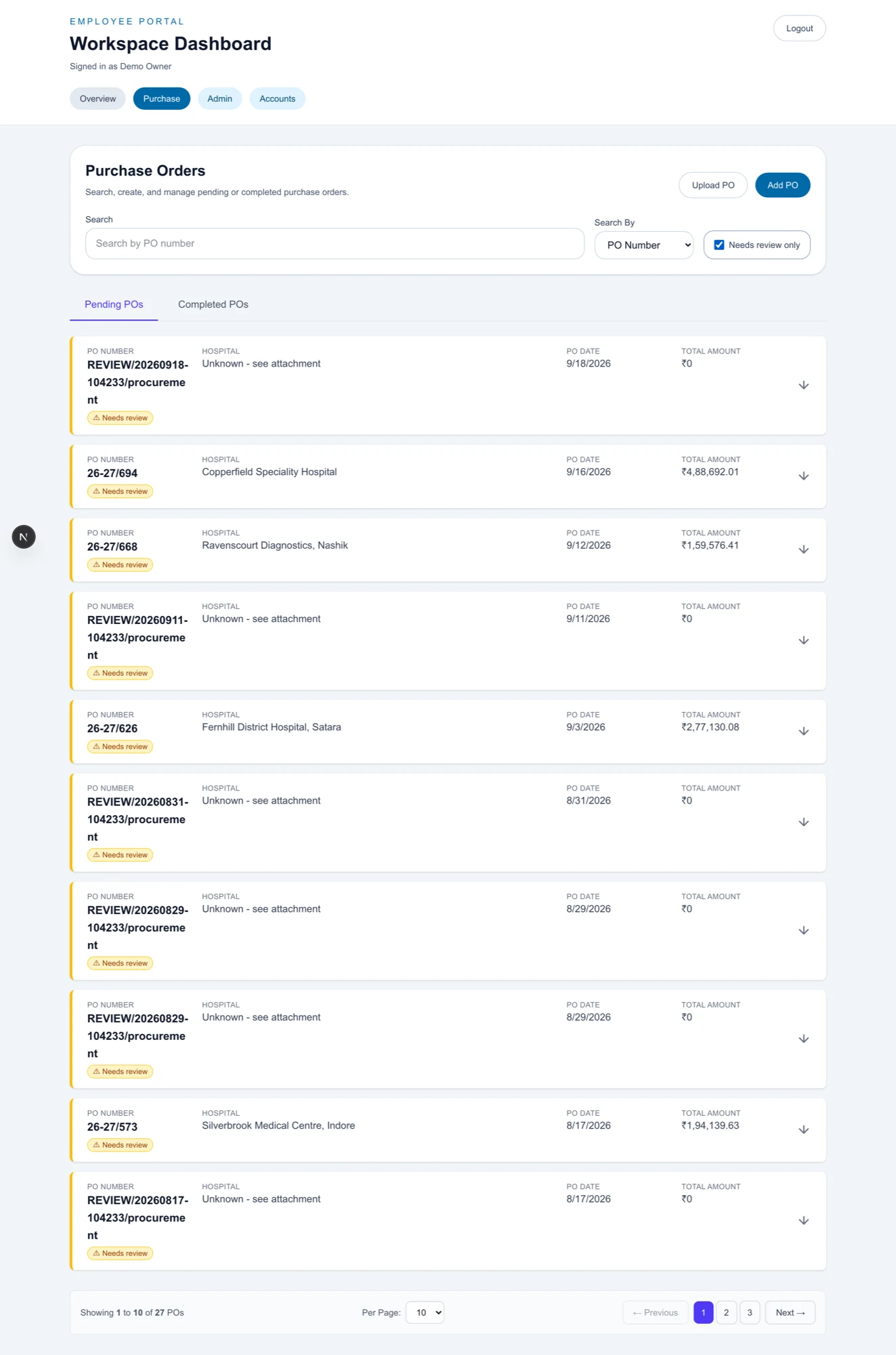
The review queue. Suspect orders are worked as a queue rather than hunted for, and the confirmation email to the customer is held until someone clears the flag. Delivery and billing
Staff tick the delivered lines, enter billed quantities and attach the sales invoices. A part-delivered order closes for what shipped and a new numbered order is created for the balance.
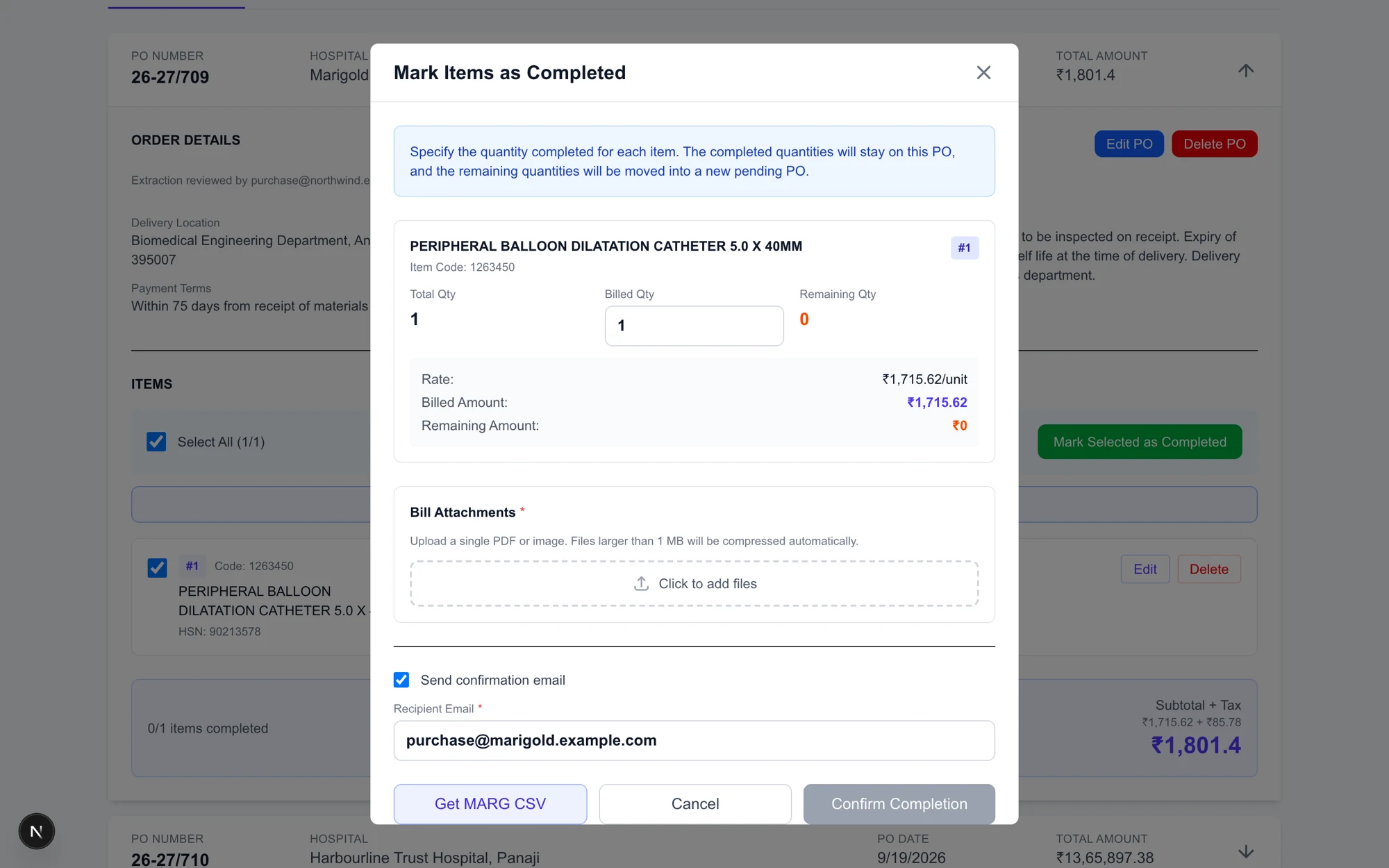
Billed against remaining, line by line. The balance becomes its own properly numbered pending order, with no spreadsheet of leftovers. The invoice is readAutomatic
The tax authority's signed QR code first, then a layout parser reading the page by position, then AI as the fallback. Duplicates are matched and skipped, and the due date is computed from that customer's agreed terms.
Collections
Outstanding grouped by customer and ordered by due date, colour-coded overdue, due soon and upcoming. Part-payments logged individually, and short payments settled with a stated reason.
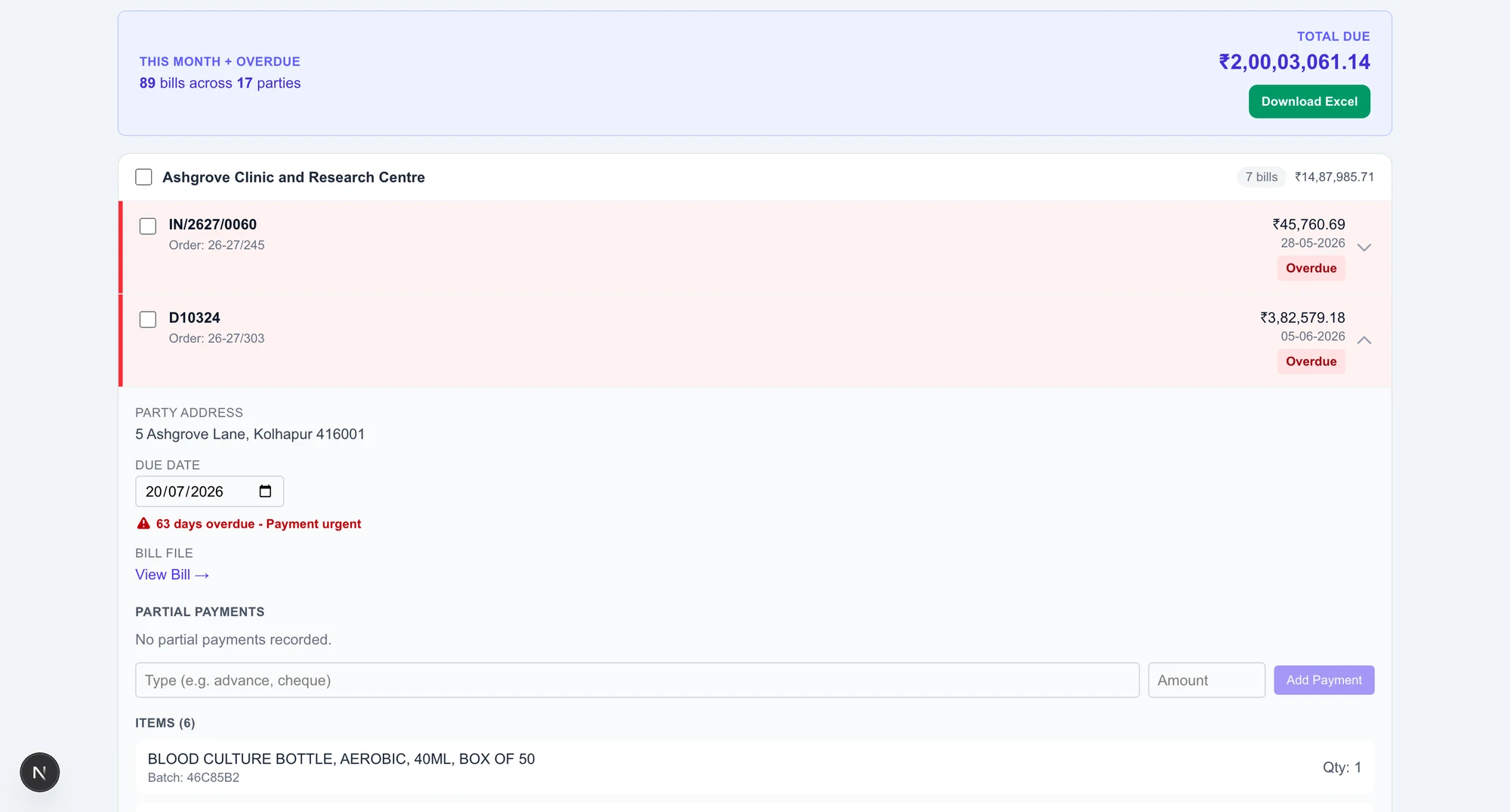
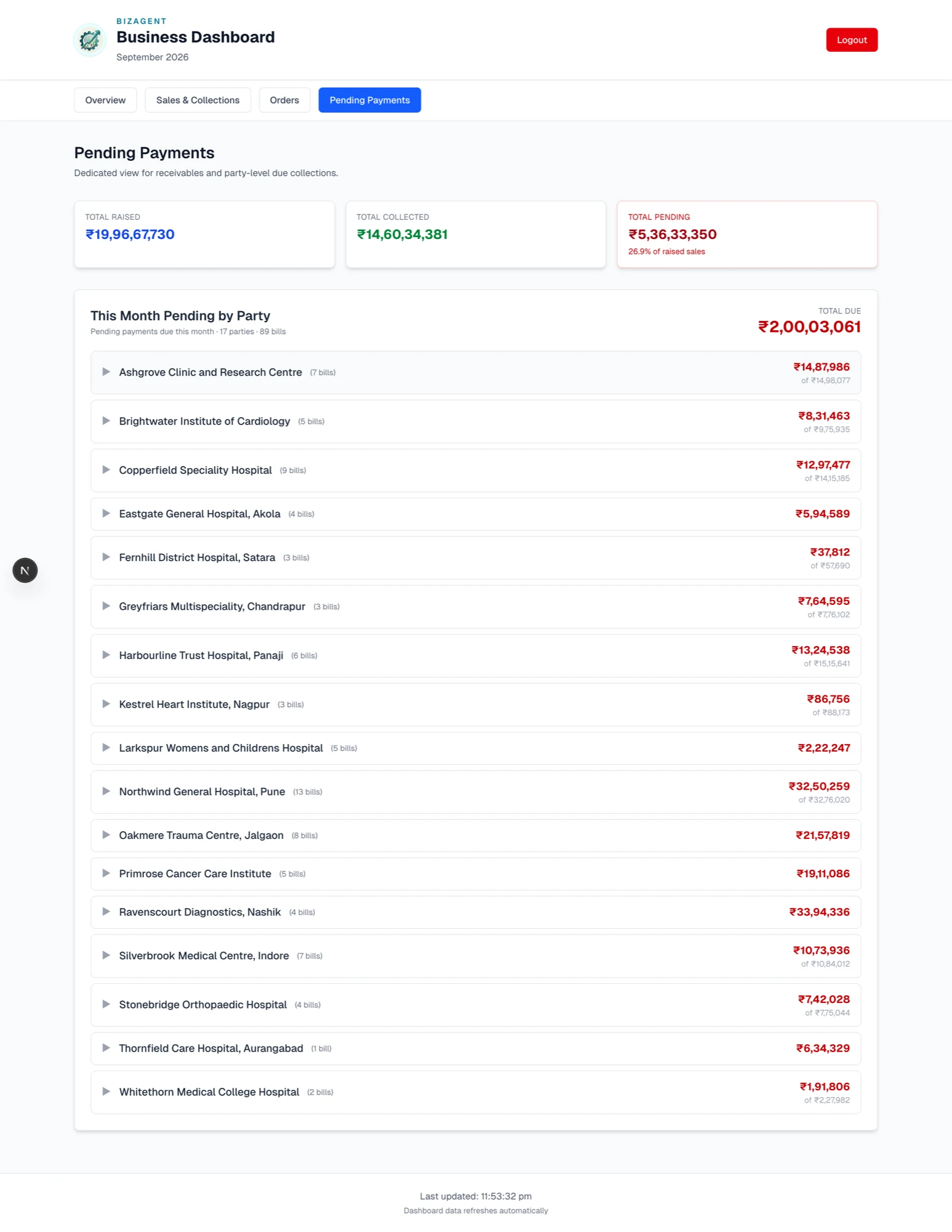
Outstanding grouped by customer, each party carrying its own bill count and total, with overdue invoices flagged and a running total across every party due this month. Opening an invoice gives the party address, an editable due date for a negotiated extension, the bill itself, and the part-payment log.
What the system will not let happen
Arithmetic decides whether to trust the AI
The model reads, and deterministic checks verify. Roughly one record in seven lands on a person's screen with the problem already explained. Nothing is silently accepted.
Nothing is silently dropped either
An order that cannot be read is still saved, with its attachment, so the email reaches a human. An invoice that fails its checks is saved, counted in sales and flagged, because a dropped invoice would understate sales, which is worse than a flagged one.
The same sale is never counted twice
Invoices are matched on the e-invoice reference, then the invoice number within its financial year, then the file's fingerprint. Customer name is deliberately excluded from that key, because a name that reads differently the second time would otherwise store the same sale twice.
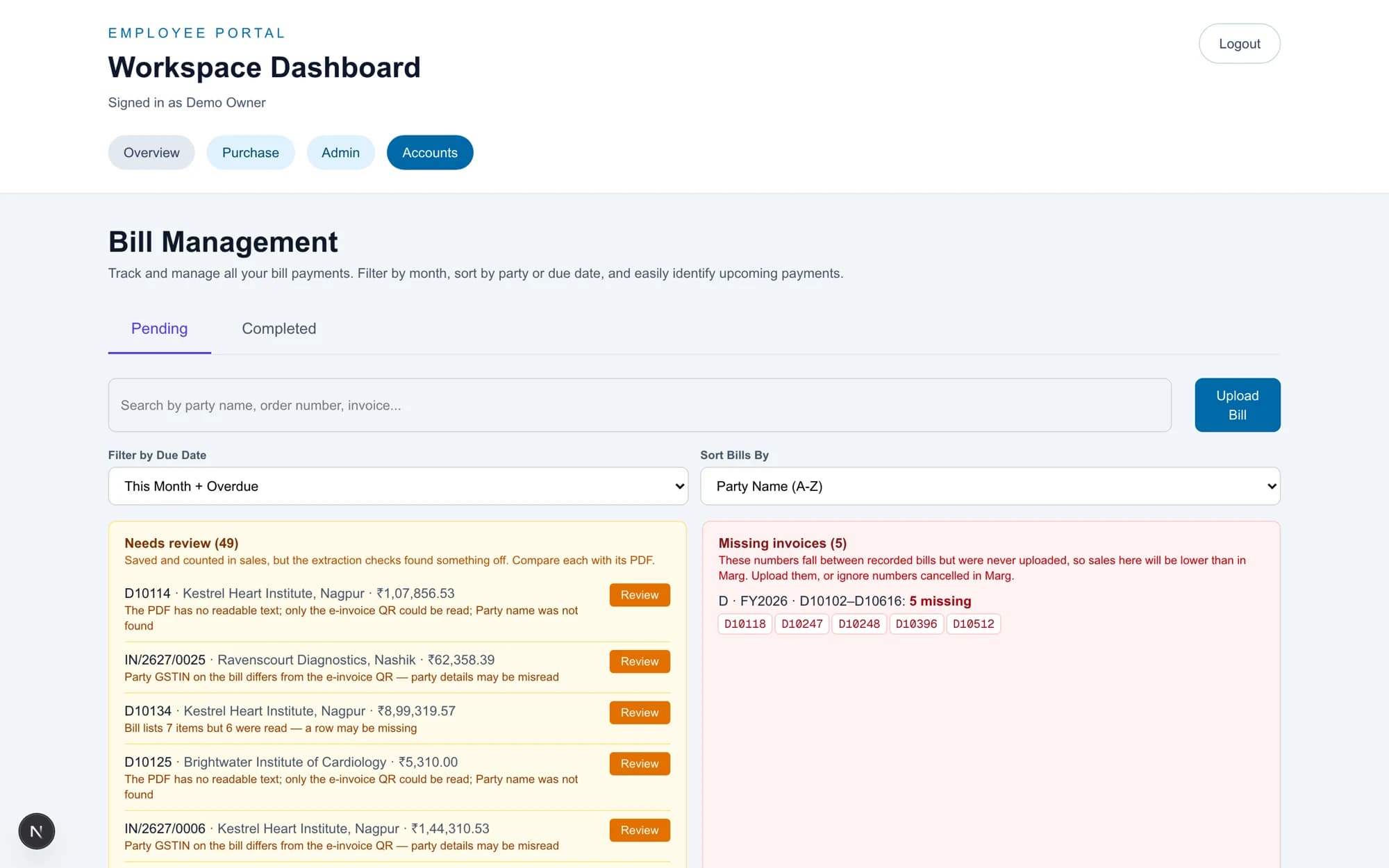
Invoices that never arrived are listed by number
The integrity panel names the gaps in each invoice series, per financial year, so a sale that exists in the billing package but never reached the portal is visible rather than assumed.
Short payments are recorded with a reason
A deduction cannot exceed the invoice, and any deduction at all requires a stated reason before the form will submit. Settlement records the date the money actually arrived, separately from the invoice date.
The owners get their own application, not a copy
It signs in against the same accounts and calls the same API the staff portal writes to. There is one set of numbers underneath both.
- A more professional image. Customers now get proper email communication at each step, meaning order received, order completed and order dispatched, instead of silence. This is the change the client named first.
- Far less paper.
- Pending orders are actually trackable, so they get fulfilled on time.
The system has kept improving since the day it went live. Support and refinement are unconditional for as long as we're working together. You don't file a ticket and wait, and you don't pay extra for the system to keep getting better.
The invoice that never arrived
The billing package is the source of truth for sales and the portal reports off what it has been given, so the two have to agree. This screen proves they do, or names exactly which invoice does not.
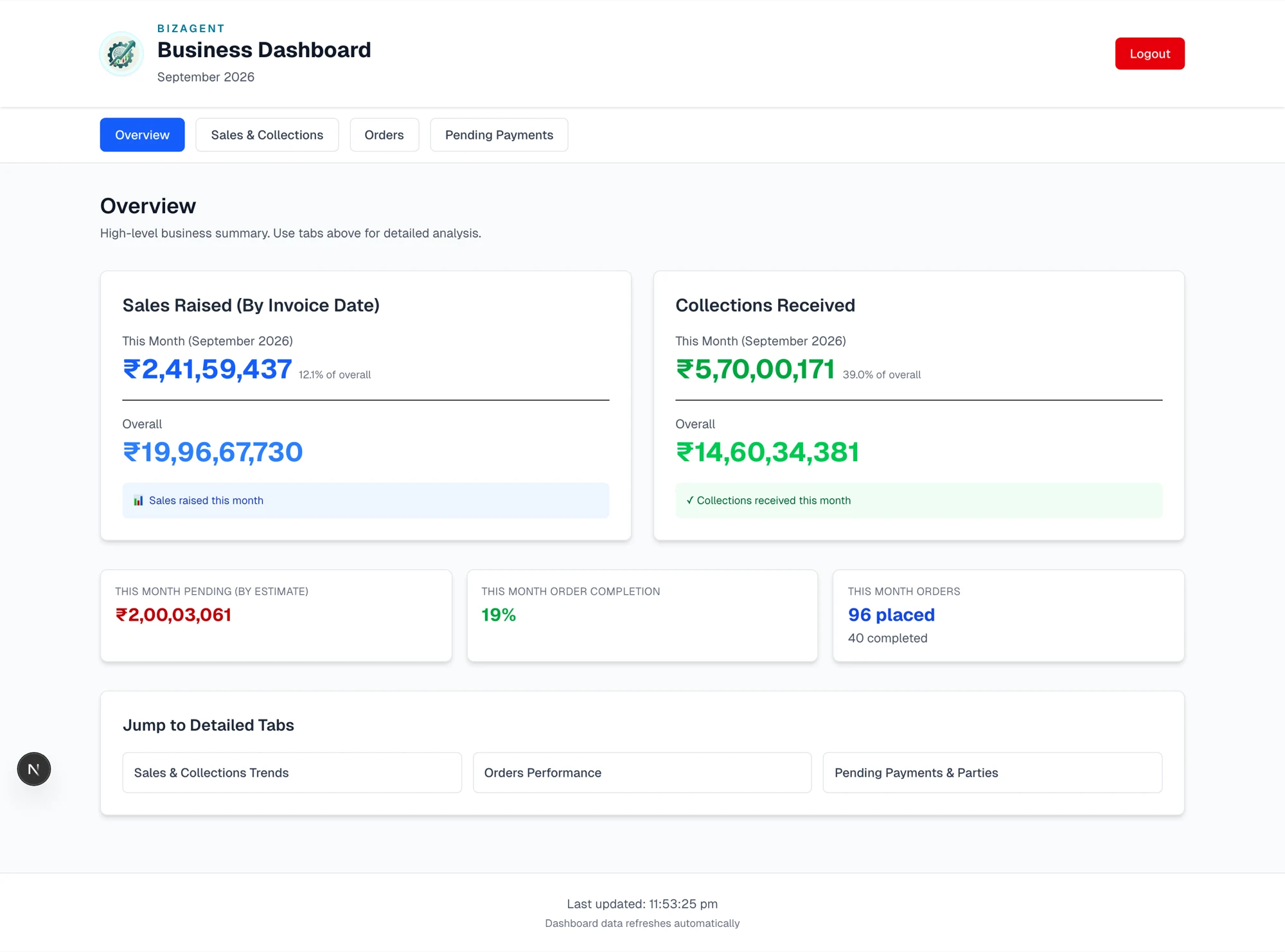
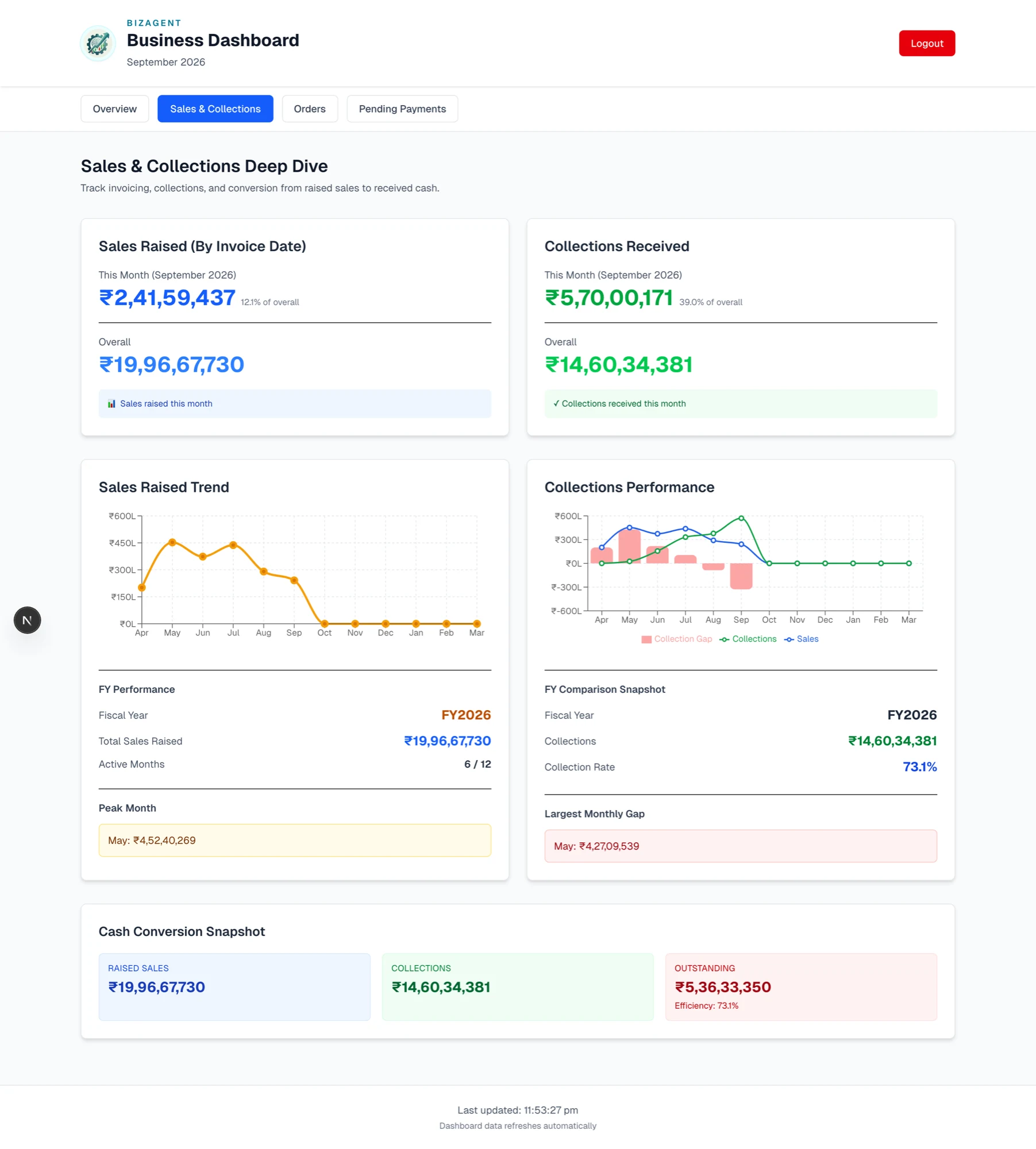
A second application on the same API
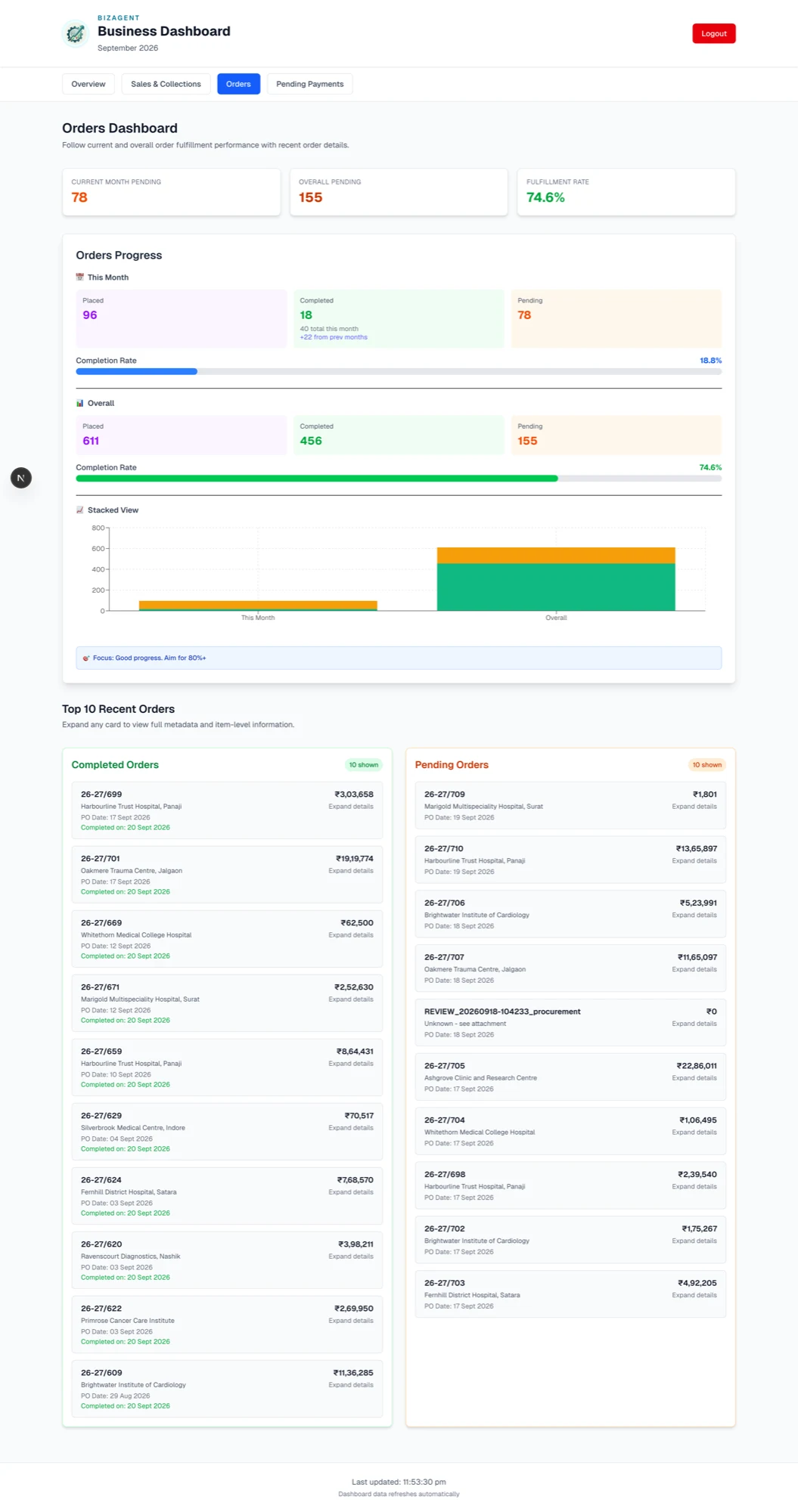
The team works in the portal and the owners open a dashboard. Neither is a copy of the other. The dashboard reads the same API the portal writes to, so the numbers the owners see are the numbers the team produced.
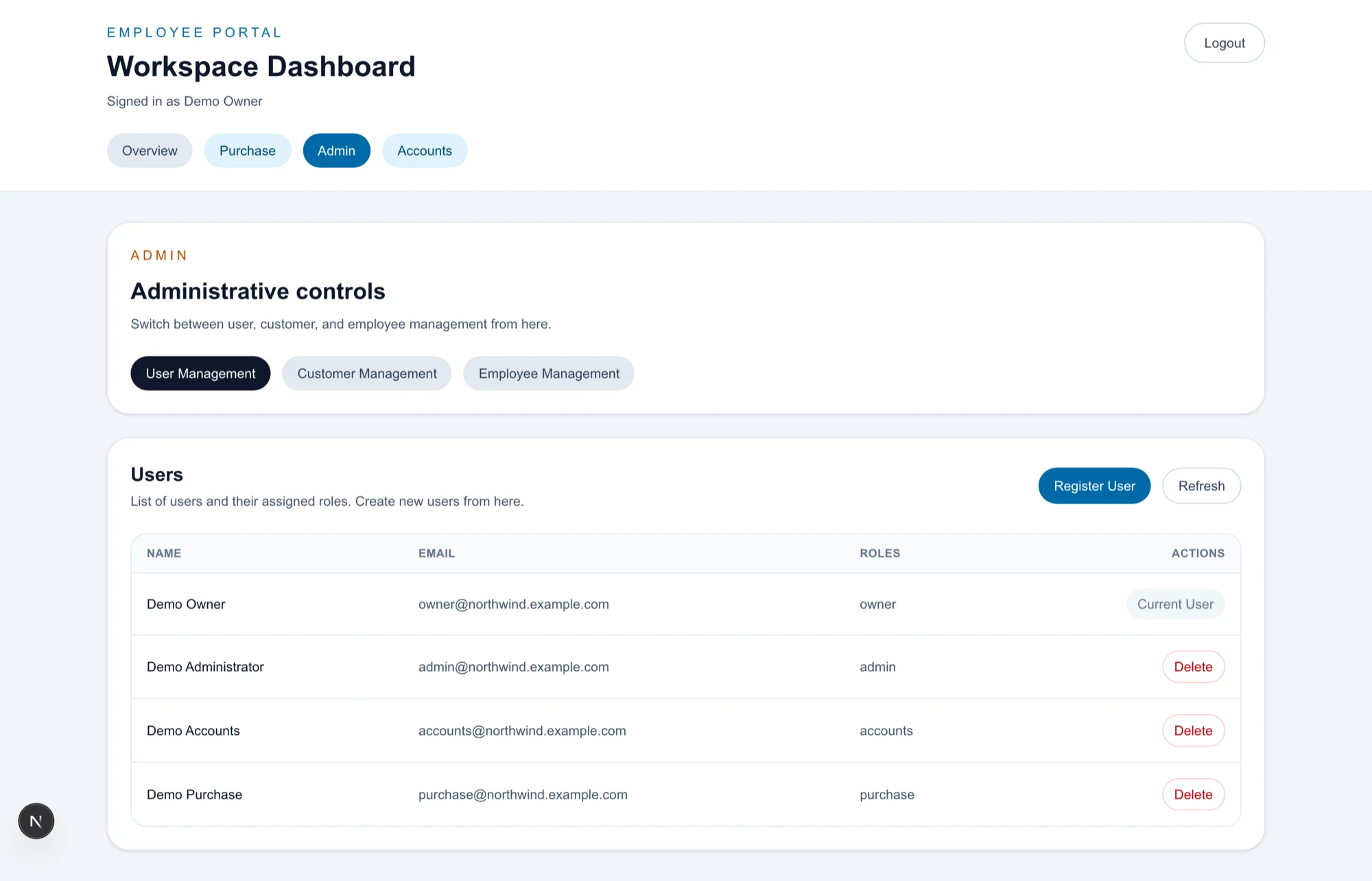
People see the part of the business they work in
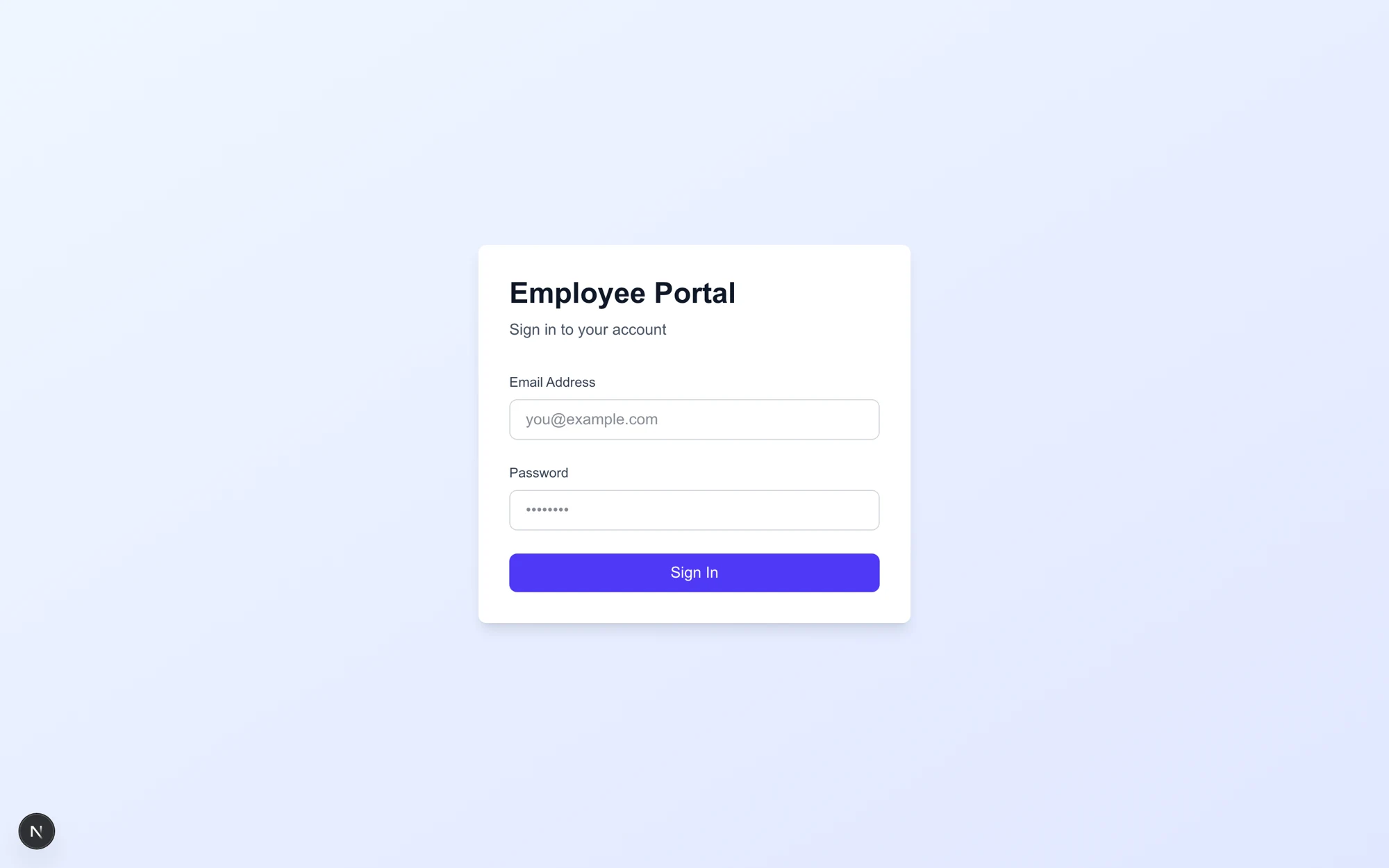
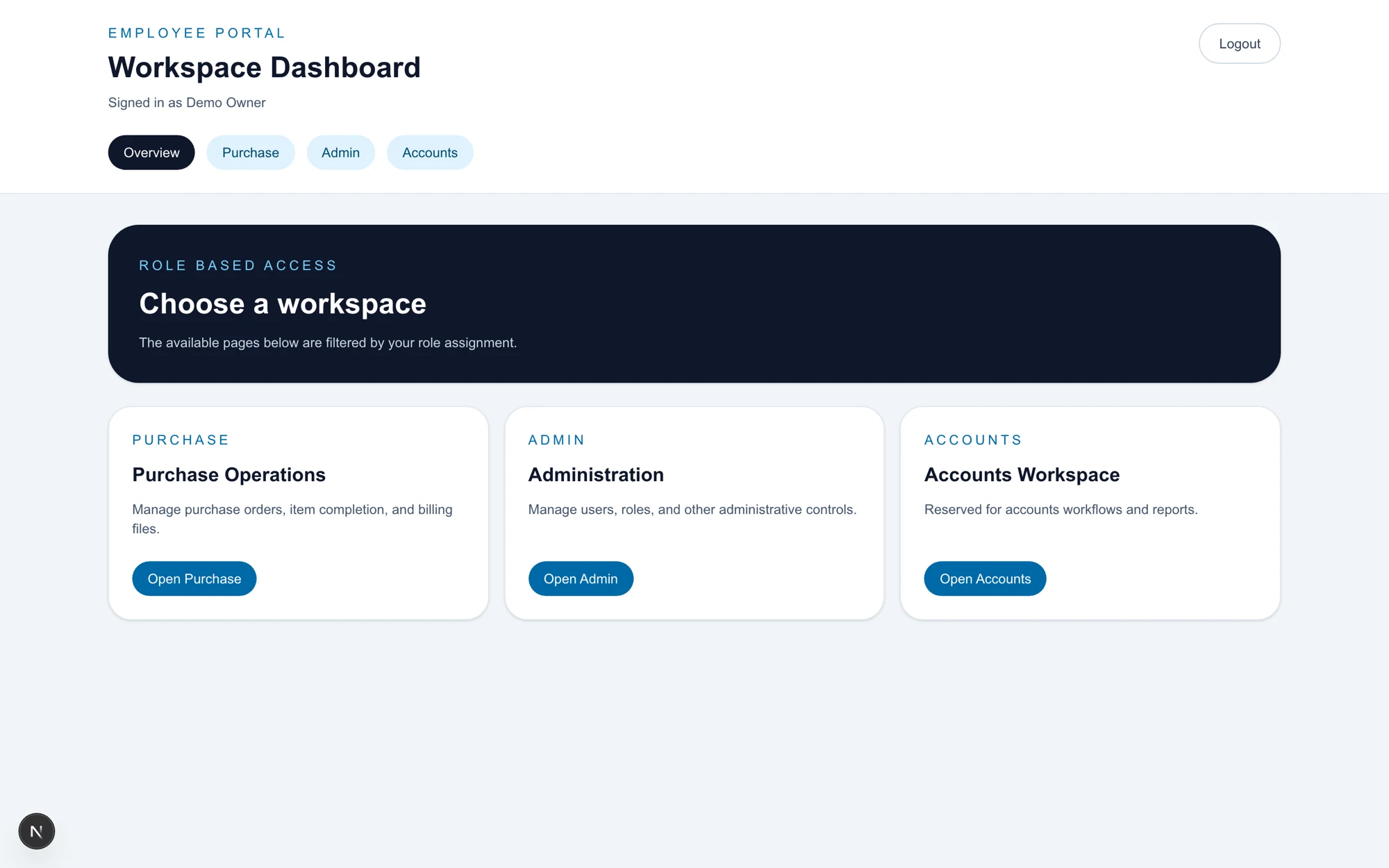
Four roles across two applications. The workspace menu is filtered to match, and navigating directly to a workspace someone has no business in redirects them to one they do.
Recognise your own process in this?
A 30-minute call is enough for us to tell you whether it's an automation, an ERP module, or a problem you shouldn't spend money on yet.